Getting feedback from your website visitors is one of the smartest moves you can make for your business. I’m not talking about guessing what your audience wants—I’m talking about actually asking them and using their answers to improve your products, services, and user experience.
Surveys are powerful tools for understanding your visitors.
But here’s the challenge: with hundreds of WordPress survey plugins available, choosing the right one can feel overwhelming. Not all of them are user-friendly, and some come with frustrating limitations that’ll slow you down.
I’ve tested the most popular options, and in this article, I’ll share the best WordPress survey plugins you can use to collect valuable insights and grow your business.
ExactMetrics is the best WordPress Analytics plugin. Get it for free!
Before we dive into the plugins, let me explain why surveys matter for your website.
Analytics show what visitors do; surveys reveal why. Combining Google Analytics data with survey insights gives you the complete picture of visitor behavior, motivations, and pain points.
Make data-driven decisions instead of guessing. Ask visitors directly which features they want and what content they need. This leads to better user experiences and higher conversion rates.
On-site surveys dramatically outperform email surveys. While email survey response rates average 20-30% (and some industries see just 5-15%), in-app surveys shown to logged-in users can achieve response rates of 60-70%.
Bottom line: surveys help you understand your audience, improve your website, and grow your business with real data instead of assumptions.
What to Look for in a WordPress Survey Plugin
Not all WordPress survey plugins are created equal. Here’s what I look for when choosing survey tools for my websites:
Ease of Use
The plugin should be beginner-friendly. You shouldn’t need coding skills or hours of training to create your first survey.
Look for drag-and-drop builders, pre-built templates, and intuitive interfaces. If the plugin takes too long to learn, you’ll waste valuable time that could be spent analyzing results.
Question Types and Flexibility
Different surveys require different question formats. Your plugin should offer:
Multiple choice questions
Rating scales (like Likert scales)
Net Promoter Score (NPS) questions
Open-ended text responses
Star ratings
Checkbox options
The more question types available, the better you can tailor surveys to your specific needs.
Reporting and Analytics
Collecting survey responses is only half the battle. You need clear, visual reports that make the data easy to understand.
The best plugins provide charts, graphs, and dashboards right inside your WordPress admin area. You shouldn’t have to export data to another tool just to make sense of it.
Mobile Responsiveness
Over half of web traffic comes from mobile devices. Your surveys must work flawlessly on smartphones and tablets, or you’ll lose responses from mobile visitors.
Integration Capabilities
Your survey plugin should connect with your other marketing tools. Look for integrations with email marketing services, CRM platforms, payment processors, and analytics tools like Google Analytics.
Targeting and Display Options
The best survey plugins let you control exactly where and when surveys appear. You should be able to target surveys by:
Specific pages or posts
Device type (mobile vs desktop)
User behavior (exit intent, time on page)
Geographic location
User role
8 Best WordPress Survey Plugins
Now let me show you the best WordPress survey plugins I’ve tested. Each one excels in different areas, so you can choose based on your specific needs.
PRICING: WPForms Pro starts at $199.50 per year (Surveys and Polls addon included)
FREE PLAN / TRIAL: Free Lite version available with basic features
WPForms is the most powerful WordPress survey plugin on the market. The drag-and-drop form builder makes survey creation super easy. You don’t need any technical skills or coding knowledge.
WPForms includes pre-built survey templates that help you launch surveys quickly. Choose from customer satisfaction templates, product feedback forms, event surveys, and more.
The Surveys and Polls addon (included in WPForms Pro) unlocks powerful survey-specific features. You get access to specialized question types like Likert scales for measuring agreement levels, NPS scoring for gauging customer loyalty, star ratings for product reviews, and multiple-choice grids for matrix questions.
Survey reporting in WPForms is also outstanding. The plugin automatically generates beautiful visual reports with pie charts and bar graphs.
Plus, WPForms integrates seamlessly with ExactMetrics, which means you can easily track form submissions in Google Analytics. This integration gives you even deeper insights into how surveys perform and which traffic sources generate the most responses.
The conditional logic feature lets you create smart surveys that adapt based on previous answers. This personalization keeps surveys relevant and increases completion rates.
WPForms also offers extensive integrations with email marketing services like Constant Contact, AWeber, and more. You can even sync with CRM platforms like Salesforce and HubSpot. The integration options give you flexibility to connect surveys with your entire marketing stack.
Pros of WPForms:
Extremely user-friendly drag-and-drop builder
Pre-built survey templates save significant time
Excellent survey reporting with visual charts and graphs
Seamless integration with ExactMetrics and Google Analytics
Conditional logic for creating smart, adaptive surveys
Hundreds of integrations with marketing and business tools
Multi-page surveys with progress bars
Mobile-responsive designs
Strong customer support and detailed documentation
Cons of WPForms:
Survey features require WPForms Pro (premium plan)
More expensive than some competitors
Some advanced reporting features could be more detailed
FREE PLAN / TRIAL: Free Lite version available with basic features
UserFeedback takes a different approach to surveys that makes it incredibly effective. Instead of sending visitors to a separate survey page, it displays short, targeted questions in discrete popups right on your website. This approach dramatically increases response rates because you’re asking questions at the exact moment when user intent is clear.
The plugin comes with pre-built templates for common scenarios. These templates are designed based on proven survey methodologies and save you hours of planning.
Creating surveys with UserFeedback is remarkably simple. You can choose a template or start from scratch. Add your questions using multiple question types including multiple choice, free-form text, star ratings, and email capture.
The targeting capabilities are where UserFeedback really shines. Display surveys on specific pages, target mobile or desktop users separately, trigger surveys based on user behavior like exit intent or scroll depth, and schedule surveys to run during specific time periods.
UserFeedback includes specialized survey types that are proven to drive business results. Net Promoter Score (NPS) surveys measure customer loyalty by asking how likely users are to recommend you. Customer Satisfaction (CSAT) surveys gauge satisfaction levels immediately after key interactions.
The reporting dashboard displays survey results clearly with visual representations of your data. Plus, UserFeedback integrates directly with Google Analytics through ExactMetrics.
This integration lets you track survey submissions as events in Google Analytics, segment survey responses based on traffic sources, and view critical survey metrics alongside your website analytics.
UserFeedback also includes powerful features like conditional logic to show different questions based on previous answers, device targeting to show different surveys on mobile versus desktop, and custom thank-you messages to acknowledge responses and build engagement.
For eCommerce sites, UserFeedback is particularly valuable. You can ask customers why they abandoned carts, gather product feedback, measure satisfaction after purchases, and identify features customers want most.
Pros of UserFeedback:
Very easy to set up with minimal configuration
High response rates due to contextual, well-timed popups
Pre-built templates for common survey types save time
Unlimited surveys and responses
Excellent targeting options for precise survey delivery
BEST FOR: Advanced users and agencies needing powerful survey functionality with extensive customization options
CONTENT TYPES: Customer feedback surveys, employee evaluations, market research, lead generation surveys, registration forms with surveys
PRICING: Basic plan starts at $99.38 per year
FREE PLAN / TRIAL: Free Lite version available
Formidable Forms is a robust form builder plugin that includes powerful survey capabilities. The drag-and-drop builder combined with visual styling tools makes it easy to create professional surveys that match your brand perfectly.
The plugin offers smart question branching with conditional logic, so the next questions appear based on previous responses. This keeps surveys relevant and engaging for respondents. You can also display survey results publicly on your site, show progress bars during survey completion, and allow users to view a summary before submitting.
Formidable Forms creates beautiful visual reports with graphs and charts. You can embed these visualizations anywhere on your site using shortcodes, making it easy to share survey results with your audience.
The plugin integrates with numerous third-party services, including payment processors, email marketing platforms, and CRM systems. This flexibility makes it suitable for complex workflows and business processes.
Pros of Formidable Forms:
Powerful drag-and-drop builder with extensive customization
BEST FOR: WordPress developers and agencies managing multiple client sites who need a reliable, well-established solution
CONTENT TYPES: All survey types, including customer feedback, market research, registration surveys, and advanced questionnaires
PRICING: Elite license is $259 per year (required for Survey addon)
FREE PLAN / TRIAL: No free version available
Gravity Forms is one of the most established WordPress form plugins, trusted by developers for years. The Survey addon adds specialized survey functionality, including various question types, conditional logic, and detailed reporting.
The plugin offers extensive integration options through numerous addons. You can connect with virtually any third-party service, including email marketing platforms, payment processors, and CRM systems. This flexibility makes Gravity Forms suitable for enterprise-level implementations.
Gravity Forms uses a familiar interface that many WordPress developers already know. If you’re managing multiple client sites, the consistency across projects is valuable.
However, Gravity Forms lacks built-in visual survey reports. You’ll see response data in your admin area, but you won’t find automatic charts or graphs. You can download survey results as CSV files for external analysis.
Pros of Gravity Forms:
Well-established, reliable plugin
Extensive integration options through numerous addons
Conditional logic for dynamic surveys
Familiar interface for experienced WordPress users
Strong developer community and documentation
Suitable for complex, enterprise-level implementations
Cons of Gravity Forms:
Expensive, especially for survey features (requires $259 Elite license)
PRICING: Free core plugin; Plus membership starts at $99 per year, or purchase individual add-ons à la carte
FREE PLAN / TRIAL: Robust free version with entry storage included; 14-day money-back guarantee on premium
Ninja Forms offers solid basic survey functionality through its drag-and-drop builder and Survey Form template. The builder includes over 24 free fields for creating surveys with multiple-choice questions, dropdowns, checkboxes, text fields, and star ratings.
One of Ninja Forms’ biggest advantages is that entry storage comes free. Unlike some competitors that require premium plans to save submissions, Ninja Forms stores all responses in your WordPress dashboard from day one. You can view, edit, export to CSV, filter, and delete entries directly from your admin area.
The modular pricing approach also sets it apart. Instead of buying bundles, you purchase only the individual add-ons you need.
However, Ninja Forms has significant limitations for serious survey work. The plugin lacks dedicated survey tools like Likert scales, Net Promoter Score (NPS) fields, or visual survey reports with charts and graphs.
For advanced survey needs, Ninja Forms falls short compared to dedicated survey plugins. But if you primarily need a form builder that can also handle basic surveys and polls, the free version with included entry storage offers excellent value.
Pros of Ninja Forms:
Free core plugin is robust with 24+ fields included
Entry storage included in free version (huge advantage)
BEST FOR: Budget-conscious users who want comprehensive survey features without ongoing costs
CONTENT TYPES: Surveys, quizzes, polls, personality tests, assessments, feedback forms
PRICING: Free
FREE PLAN / TRIAL: Completely free with optional premium addons
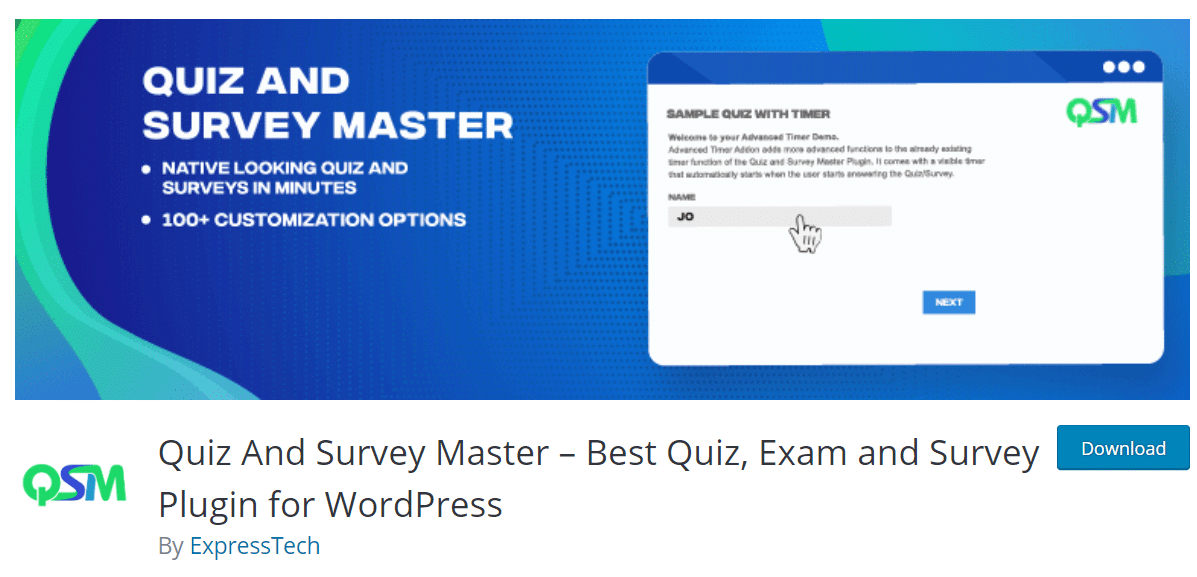
Quiz and Survey Master is a versatile free WordPress survey plugin with an impressive feature set. Despite being free, it offers functionality that rivals many premium options.
The plugin includes numerous question types, including multiple choice, radio buttons, checkbox, true/false, dropdown, paragraph text, and more. You can even accept image answers from users, which is unique among survey plugins.
You can add contact forms as part of your survey to collect user information, customize the results page that respondents see after submission, and apply conditional logic to show/hide questions based on previous answers.
Quiz and Survey Master includes reporting features that show survey statistics and response data. You can also export submissions for further analysis in external tools.
The plugin integrates with popular services like ActiveCampaign, and Zapier, giving you flexibility to connect surveys with your marketing stack.
FREE PLAN / TRIAL: Free version with OpinionStage branding
Poll, Survey, Form & Quiz Maker by OpinionStage specializes in creating visually engaging surveys that encourage participation. The plugin offers over 100 templates covering various survey and poll types.
You can add images and videos to your surveys, making them more visually appealing and interactive. Social sharing buttons allow respondents to share surveys on social media, potentially increasing your reach organically.
The plugin includes features like customizable themes to match your brand, the ability to add calls-to-action at the end of surveys to drive conversions, and mobile-responsive designs that work on all devices.
OpinionStage offers scheduling options to publish surveys at specific times and targeting features to control where surveys appear on your site.
WP-Polls is one of the most basic WordPress survey plugins, focusing specifically on simple polls rather than full surveys. There’s no drag-and-drop builder or fancy interface—just straightforward poll creation.
The plugin offers different poll templates you can choose from. You can embed polls anywhere on your website using embed code or widgets. Once users complete a poll, they automatically see the results.
WP-Polls is lightweight and won’t slow down your website. The simplicity makes it easy for anyone to use without training or technical knowledge.
For viewing data, WP-Polls saves results as logs that you can access from your WordPress admin area.
Pros of WP-Polls:
Completely free
Very simple to use
Lightweight (won’t slow down site)
Automatic results display after voting
Multiple poll templates
Cons of WP-Polls:
Very limited functionality
No advanced question types
Basic data logging only
No visual reporting or charts
Limited customization options
Not suitable for detailed surveys
Interface feels outdated
Which WordPress Survey Plugin Is Best?
After testing these plugins extensively, here’s my recommendation:
For most website owners: WPForms offers the best balance of features, ease of use, and value. The drag-and-drop builder is intuitive, the pre-built templates save time, and the visual reporting makes data easy to understand. The integration with ExactMetrics is a huge bonus if you’re tracking analytics.
For instant, contextual feedback: UserFeedback excels at capturing feedback at the exact moment when users have opinions to share. The popup format achieves higher response rates than traditional surveys, and the targeting options let you be strategic about which questions to ask where. It’s especially useful for eCommerce stores looking for feedback about customer service or products.
For advanced users on a budget: Quiz and Survey Master provides impressive functionality for free, though you’ll need to invest time learning the interface.
Frequently Asked Questions About WordPress Survey Plugins
How do I create a survey in WordPress?
Install a WordPress survey plugin like WPForms or UserFeedback. Use the drag-and-drop builder to add questions to your survey. Customize the design to match your website. Then embed the survey on any page or post using a shortcode or block. Most quality plugins make this process straightforward and require no coding skills.
Can I create a survey for free in WordPress?
Yes, several plugins offer free versions including WPForms Lite, UserFeedback Lite, Quiz and Survey Master, and WP-Polls. These free options let you create basic surveys, though you’ll get more features and better reporting with premium versions. For simple surveys, free plugins work well.
What is the best WordPress survey plugin?
WPForms is the best overall WordPress survey plugin for most users. It offers an excellent balance of features, ease of use, and value. UserFeedback is the best choice if you want instant feedback through targeted popups. Your best option depends on your specific needs and budget.
Do I need coding skills to create surveys in WordPress?
No, modern survey plugins use drag-and-drop builders that require zero coding knowledge. You simply select question types, add them to your form, and customize the appearance using visual tools. Anyone can create professional surveys without writing a single line of code.
How do I analyze survey results in WordPress?
Most quality survey plugins include built-in reporting dashboards that display results with charts and graphs. You can view responses in real-time, export data to CSV or Excel for further analysis, and integrate with Google Analytics through plugins like ExactMetrics to track survey performance alongside other website metrics.
Can I display survey results on my website?
Yes, many survey plugins let you display results publicly. WPForms and Formidable Forms both include options to show survey results using charts and graphs embedded anywhere on your site. This transparency can increase engagement and encourage more users to participate in your surveys.
And that’s it! I hope this article helped you find the best WordPress survey plugin for your unique needs. If you liked this article you may want to check out the following beginner-friendly guides: